Your phone is the meeting recorder
Record on iPhone or Android with the NoteWave app, then read the transcript and summary wherever work takes you.
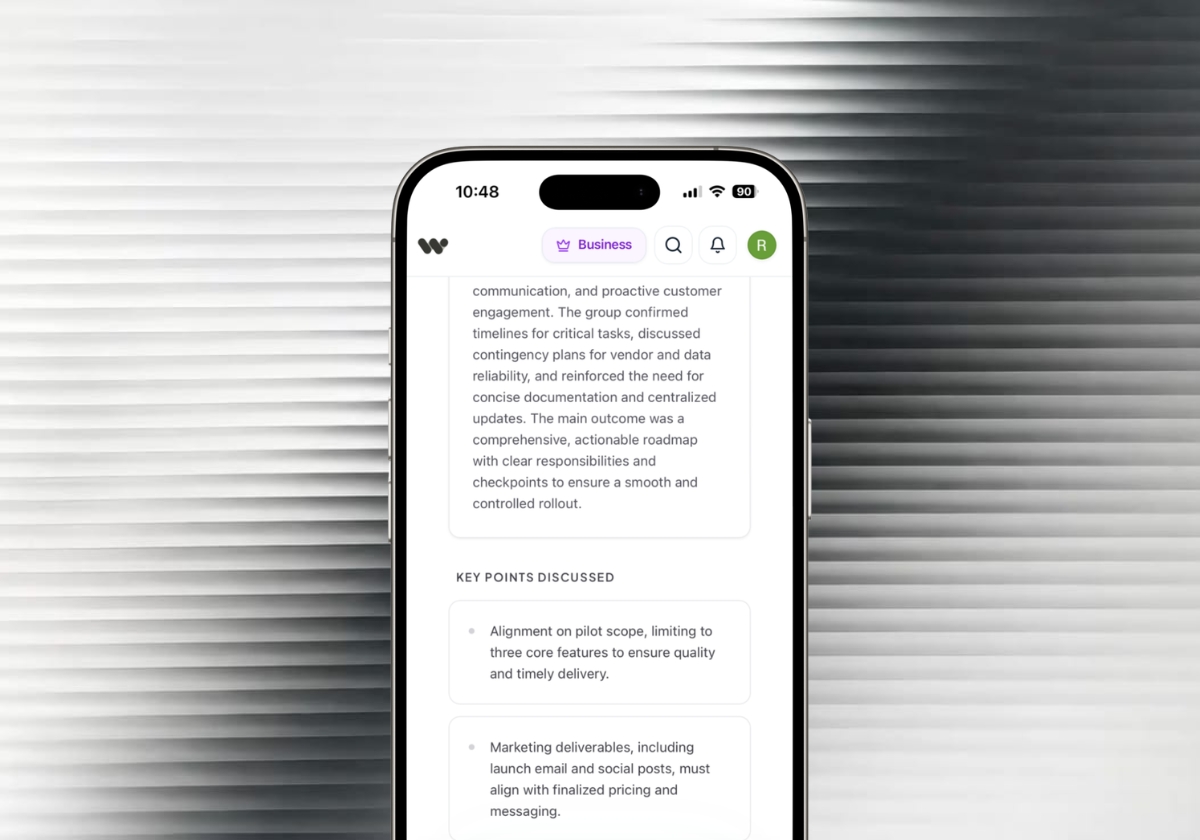
Record and transcribe in-person meetings
Put your phone or laptop on the table and press record. NoteWave turns the conversation into a transcript with every speaker labelled, then writes the summary and action items. No bot, no call, no extra hardware.
Free plan available. Already have an account? Open the recorder


Three steps, using the microphone you already have. Start in your browser, or take the NoteWave app into meetings away from your desk.
Get the mobile appOpen the recorder, choose the meeting language or Auto-detect, and run the 15-second microphone test from where your phone or laptop will sit.
Let everyone know you are recording, then press start. Pause for breaks and resume when the discussion picks up. In the iPhone and Android apps, recording continues with the screen locked.
Press stop and NoteWave writes the transcript, summary and action items. Check names and figures, then share the notes or export them to PDF or Word.
What you get from one recording
Find the moment a decision was made, read the summary instead of replaying the audio, and follow up from a list of actions with owners. On Pro and Business, turn the same transcript into formal minutes.
Explore AI meeting minutesSample meetings. The names are fictional.

On Lakeside Clinics, we're about two weeks behind. Their data migration took longer than planned, so we couldn't start testing on time. The team is ready, we're waiting on the client.
They know it's on their side, and the relationship is fine. I'd rather we agree a new date with them now than let it drift. I can call their operations manager this week.
Good. Let's move go-live to 24 November and hold a short weekly check-in with them until then. Ayesha, please send them the revised plan after James's call.
On sales, two proposals are out and both should close in November. New clients are still taking 19 days to go live, and I'd like to get that closer to 10.
Part of that is training, so I'll put together a short onboarding pack for new client teams. And a reminder: December leave requests close on 14 November, so please ask your teams to submit early.
From finance, all invoices for this financial year need to be submitted by 5 December. Anything after that moves into next year's budget.
Executive Overview
The management team reviewed the Q3 reforecast, approved two new hires starting in December, and agreed a recovery plan for the delayed Lakeside Clinics rollout. Revenue is tracking 12% above target, travel and contractor spend will be capped for Q4, and year-end invoices close on 5 December.
Share the updated Q4 budget with department heads
Post both job adverts and shortlist candidates
Call Lakeside Clinics to confirm the new go-live date
Send the revised project plan to Lakeside Clinics
Remind every team of the 5 December invoice cut-off
Prepare an onboarding pack for new client teams
Recording in South Africa? NoteWave transcribes Afrikaans, isiZulu, isiXhosa, Sepedi, English and 99+ languages in all. Use Auto-detect when the room switches between them, and review those passages afterwards.
If people meet face to face and someone has to write it up afterwards, NoteWave can do the writing, from a boardroom to a school hall to a site office.
Browse solutionsDecisions, resolutions and owners, ready to turn into formal minutes.
SGB, staff and leadership meetings turned into clear, shareable records.
Record the AGM, then use the free minutes format for trustees and managing agents.
Speaker-labelled transcripts for consultations, hearings and inquiries.
A timed record of who said what, for hearings, grievances and performance reviews.
Stay in the conversation and leave with the follow-ups already written.
Keep your eyes on the person across the table and search the transcript later.
Record on your phone wherever the team gathers, with no laptop needed.
A microphone hears the room around it, so clear audio comes down to what you use and where you put it. Better audio means a better transcript, better speaker labels and better notes.
Read the in-person recording guide2 to 6 people
Your phone or laptop
In the middle of the table, within easy reach of every voice.
7 to 12 people
A laptop with a USB conference microphone
Centre of the table. Select that microphone in the recorder before you test it.
13 or more
An external room microphone, or your phone near the speaker
Close to whoever is presenting, and repeat questions from the floor.
If the person furthest away sounds faint on the test, move the microphone before the meeting starts.
Laptop fans, air conditioners and hallway noise compete with the voices you want on record.
When two people speak at once, the words and speaker labels are harder to separate.
"Thanks, Naledi" gives NoteWave a clue for naming speakers. Check names and figures before you share.
A meeting bot needs a call to join. A voice recorder gives you audio, not notes. Handwriting takes you out of the conversation. A recorder with AI behind it covers all three.
More on the AI note takerAlso running online meetings? On Pro and Business, NoteWave joins your Zoom, Microsoft Teams and Google Meet calls too, so every meeting ends up in one place. See AI meeting transcription.
Nobody will repeat the discussion because the recording failed, so the recorder is built around not losing it.
In the iPhone and Android apps, recording keeps going when the screen locks, so you can put the phone down and forget about it.
NoteWave keeps a recovery copy on your device while you record in a supported browser or the app. If the tab closes or the connection drops, you can pick it up from the Record page.
If the recorder stops hearing sound, it tells you during the meeting, while you can still fix it, rather than after.
Record up to 45 minutes per meeting on Free, 90 minutes on Pro and 4 hours on Business.
Meetings stay private to your account until you share them, and data is encrypted in transit and at rest. How we protect your meetings.
Export the transcript and notes to text, PDF or Word on every plan.
Record on iPhone or Android with the NoteWave app, then read the transcript and summary wherever work takes you.
Find answers to common questions about NoteWave's features, security, and pricing.
Our support team is available to help with any technical or billing inquiries.
Contact SupportOur enterprise support team is available to help you with any technical or billing inquiries.
Contact SupportOpen the recorder, run the microphone test before everyone sits down, and leave the note-taking to NoteWave.
14 days of Business free. No card for week one. Add a card to unlock week two.
Start recording free